Live dashboard
See what every agent is doing, what every task costs, and what needs your approval. All in one place, updated in real time.


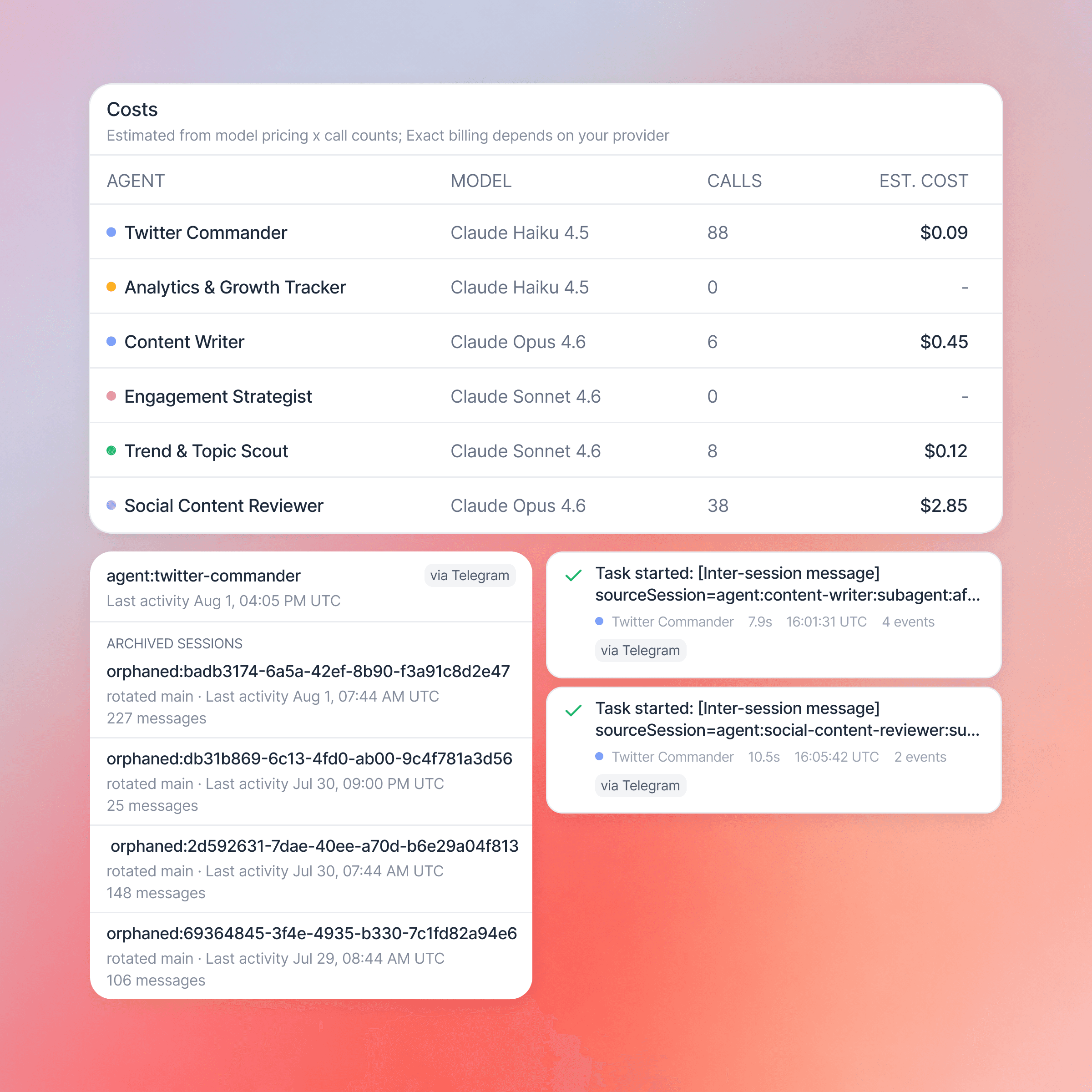
What the dashboard gives you
Real-time activity feed
A live stream of everything your team is doing: Orchestrator delegation, Worker execution, Critic reviews, tool calls, and heartbeat checks. Every action logged as it happens.
Pending approvals
Items your team has flagged for human sign-off appear here. Approve, reject, or review each one and your feedback is sent back to the agent.
Agent status and control
Every agent shows its health, role, and last active time. Pause or resume individual workers, restart on error, and check the Critic's pass rate at a glance.
Per-agent cost breakdown
Every agent shows its model, call count, and cost. Sorted by spend, and if any agent exceeds approximately 40% of total spend the dashboard suggests a model downgrade.
How it works
1
Your team deploys and the feed starts
The moment your Claw goes live, the activity feed starts streaming. Every agent action appears in real time so you can see your team working as soon as it is deployed.
2
Monitor what every agent is doing
Watch the Orchestrator delegate, Workers execute, and the Critic review each output. Every action is timestamped and attributed to the agent that performed it.
3
Act on pending approvals
When your team flags something for human sign-off it appears in the approvals section. Approve, reject, or review each item with optional feedback and it is sent back to the agent.
4
Track spend and act on alerts
Monitor per-agent costs in real time. Alerts surface for paused state, errors, expired tool connections, and when spend reaches 80% and 100% of your budget.
Live metrics per workspace
Spend alert threshold
Auto-restarts then escalation
Activity feed refresh
Real time